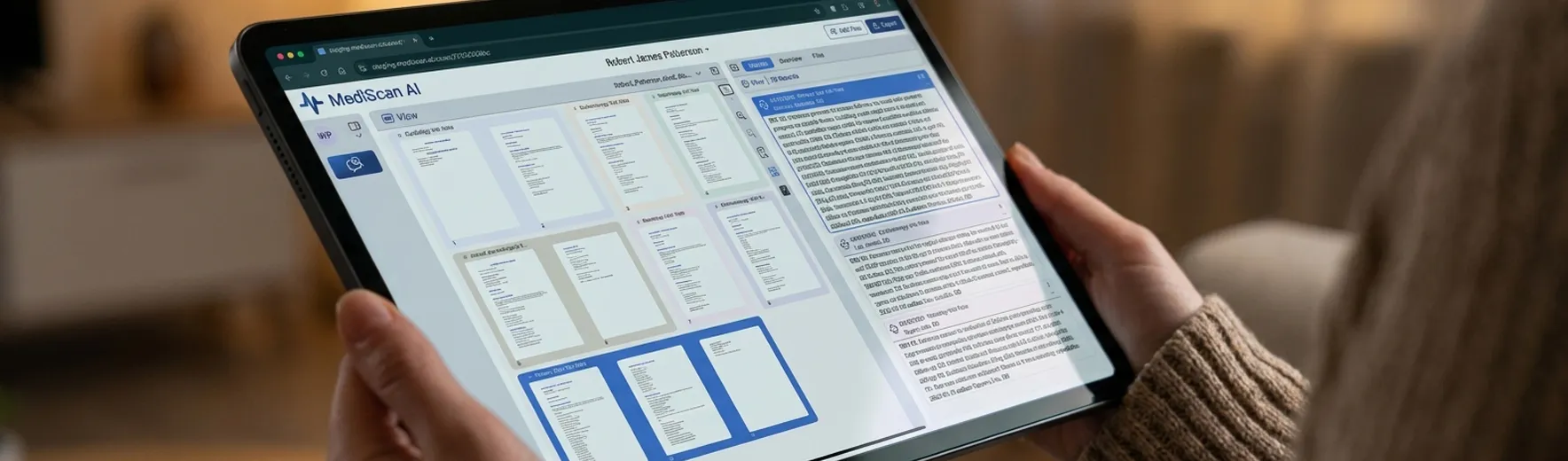
Treatment chronology
Follow treatment across providers in date order.
Review emergency care, therapy, diagnostics, and specialist visits in one chronology. Add supplemental records to the existing case as they arrive, without rebuilding the review.
 View
View 14 Records
07/10/2019Qualified Medical Evaluation Report
10-33Leung, Raymond, MD
···HPI: Industrial injury on 01/18/2018 with persistent low back and left leg symptoms.
CC: Low back pain with left radicular symptoms.
DX: Lumbar strain; L4-L5 disc displacement.
Social History: Former smoker; works as warehouse associate.
Discussion: Findings consistent with industrial mechanism; residual impairment expected.
Causation: Industrial, arising out of and in course of employment.
P&S Status: Permanent and stationary as of exam date.
Impairment: DRE Lumbar Category II; 8% WPI.
Apportionment: 80% industrial / 20% non-industrial.
Future Care: Occasional PT, NSAIDs, and follow-up as needed.
Work Status: Permanent modified duty; 25 lb lifting limit.

08/14/2019Progress Report
4-7Patel, Anika, MD
···HPI: Patient reports ongoing left knee pain after workplace fall 6 weeks prior. Pain rated 5/10, worse with prolonged standing.
CC: Left knee pain and intermittent swelling.
DX: Left knee sprain; rule out meniscal injury.
TX: NSAID trial, home exercise program, and activity modification.
Work Status: Modified duty; avoid kneeling and ladder climbing.

04/02/2021MRI Report - Lumbar Spine
12-15Chen, David, MD
···Findings: L4-L5 disc bulge with mild bilateral foraminal narrowing. L5-S1 mild degenerative disc disease. No fracture or marrow edema.
Impression: Mild L4-L5 disc bulge without significant stenosis; correlate clinically.
05/22/2021Orthopedic Follow-Up
18-21Nguyen, Lisa, MD
···HPI: Returns for recheck after 4 weeks of PT. Notes improved ROM but residual morning stiffness.
CC: Residual left knee stiffness.
DX: Improving left knee sprain.
TX: Continue PT 1x/week for 3 additional weeks.
Work Status: May advance to full duty in 2 weeks if progress continues.
06/08/2021MRI Report - Left Knee
22-25Rivera, Marco, MD
···Findings: Mild chondromalacia of medial femoral condyle. Intact ACL/PCL. Small joint effusion. No meniscal tear identified.
Impression: Mild medial compartment chondromalacia without meniscal or ligament tear.
07/10/2019Qualified Medical Evaluation Report
10-33Leung, Raymond, MD
···HPI: Industrial injury on 01/18/2018 with persistent low back and left leg symptoms.
CC: Low back pain with left radicular symptoms.
DX: Lumbar strain; L4-L5 disc displacement.
Social History: Former smoker; works as warehouse associate.
Discussion: Findings consistent with industrial mechanism; residual impairment expected.
Causation: Industrial, arising out of and in course of employment.
P&S Status: Permanent and stationary as of exam date.
Impairment: DRE Lumbar Category II; 8% WPI.
Apportionment: 80% industrial / 20% non-industrial.
Future Care: Occasional PT, NSAIDs, and follow-up as needed.
Work Status: Permanent modified duty; 25 lb lifting limit.
08/14/2019Progress Report
4-7Patel, Anika, MD
···HPI: Patient reports ongoing left knee pain after workplace fall 6 weeks prior. Pain rated 5/10, worse with prolonged standing.
CC: Left knee pain and intermittent swelling.
DX: Left knee sprain; rule out meniscal injury.
TX: NSAID trial, home exercise program, and activity modification.
Work Status: Modified duty; avoid kneeling and ladder climbing.
04/02/2021MRI Report - Lumbar Spine
12-15Chen, David, MD
···Findings: L4-L5 disc bulge with mild bilateral foraminal narrowing. L5-S1 mild degenerative disc disease. No fracture or marrow edema.
Impression: Mild L4-L5 disc bulge without significant stenosis; correlate clinically.
05/22/2021Orthopedic Follow-Up
18-21Nguyen, Lisa, MD
···HPI: Returns for recheck after 4 weeks of PT. Notes improved ROM but residual morning stiffness.
CC: Residual left knee stiffness.
DX: Improving left knee sprain.
TX: Continue PT 1x/week for 3 additional weeks.
Work Status: May advance to full duty in 2 weeks if progress continues.
06/08/2021MRI Report - Left Knee
22-25Rivera, Marco, MD
···Findings: Mild chondromalacia of medial femoral condyle. Intact ACL/PCL. Small joint effusion. No meniscal tear identified.
Impression: Mild medial compartment chondromalacia without meniscal or ligament tear.


 Cancel


 Research